
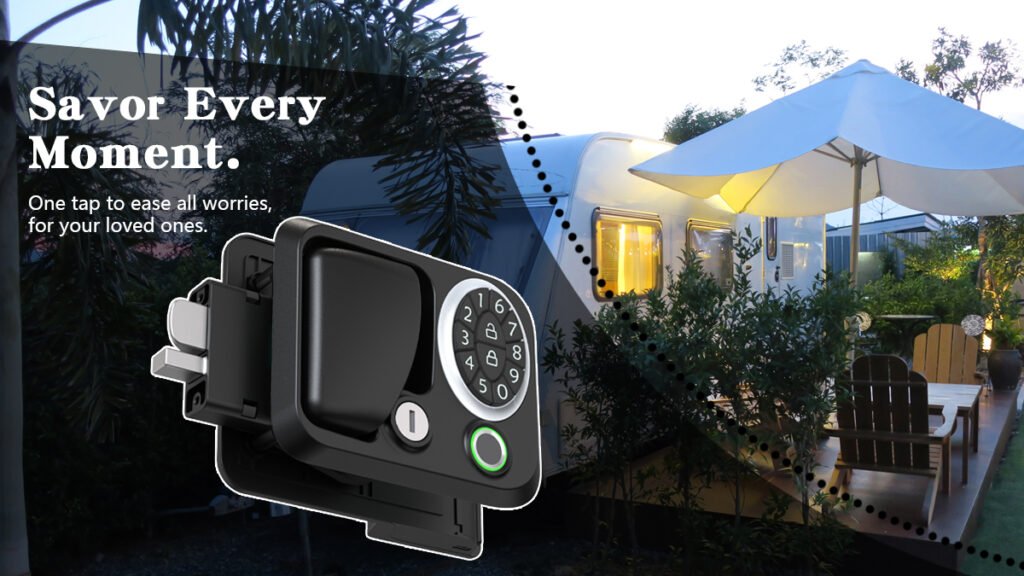
You improve security and streamline management when you reset access codes for keypad locks across your rental fleet. Reliable locking systems, like kinntoo rv door locks, help you protect your properties and reduce risk. Property managers often compare costs before choosing a solution. See the table below for a quick look at lock types:
Lock Type | Initial Cost | Maintenance Needs | Long-term Cost Implications |
|---|---|---|---|
Mechanical Locks | Lower | Less frequent | More cost-effective |
Electronic Locks | Higher | Reduced service calls | Potentially lower over time |
Choosing the right lock can help you save money and time while keeping your fleet secure.
Key Takeaways
Identify all lock types in your rental fleet to plan effective code resets.
Gather necessary tools and follow a clear checklist for resetting access codes.
Communicate code changes to tenants in advance to build trust and avoid confusion.
Regularly change access codes to enhance security and keep accurate records of all changes.
Seek professional help for persistent lock issues to maintain the integrity of your locking systems.
Preparation for Resetting Access Codes
Identify Lock Types in Your Fleet
Start by making a list of all the locks in your rental fleet. You may have both mechanical and keyless systems. Check each lock for its brand and model. Reliable options, such as kinntoo rv door locks, help you manage access codes across many units. Knowing your lock types helps you plan the right steps for each one. Make sure every lock is compatible with your code management process.
Gather Tools and Information
Before you begin, collect everything you need for a smooth reset. Here is a simple checklist:
Open the battery cover on the keypad lock.
Press the reset button until you hear a beep.
Keep the door open and unlocked to avoid getting locked out.
Wake up the keypad by touching it and entering two random codes.
Enter your new access code (6-12 digits) followed by the # key.
Repeat the code and press # again to confirm.
You should also have a record of current codes and a secure way to store new ones. This keeps your fleet organized and secure.
Notify Tenants and Schedule Resets
Good communication with tenants builds trust. Let tenants know about upcoming code changes in advance. Use the best method for each situation:
Communication Method | Use Case |
|---|---|
Phone | |
Send formal notifications and keep a record | |
Texting | Share quick updates or reminders about the reset schedule |
Regular updates by email, text, or phone help tenants feel informed. Remind them of the date and time for the access code change. This keeps everyone on the same page and avoids confusion.
Reset Access Codes: Step-by-Step Process
Access the Lock or Keypad System
You begin the process by accessing each keypad door lock in your rental fleet. For kinntoo rv door locks and similar models, locate the battery compartment and ensure the lock is powered. Open the door to prevent accidental lockouts. Wake up the keypad by touching it or entering random codes. Press the reset button until you hear a beep. This prepares the lock for a new code entry.
Many property managers encounter common mistakes during this step. Review the table below to avoid issues:
Common Mistake | Solution |
|---|---|
Incorrect code entry | Recall the numbers or patterns, or contact customer support for a code reset. |
Unresponsive keypads | Check for low battery power before assuming a fault in wiring or needing a battery replacement. |
Malfunctioning locks | Double-check battery orientation or replace with new alkaline batteries (not rechargeable). |
Mistyped programming code | If the light flashes red instead of green, retry entering the programming code slowly. |
You reduce errors by checking batteries and entering codes carefully. Always keep spare batteries on hand for your keypad door lock systems.
Enter and Confirm New Codes
After you access the lock, you start the reset access codes process. Enter your new code, which should be between 6 and 12 digits, followed by the # key. Repeat the code and press # again to confirm. This step ensures the new code is set for the keypad door lock.
You must verify that the code works. Test the code by locking and unlocking the door several times. If the lock flashes green, your code entry succeeded. If the lock flashes red, retry entering the code slowly. You may need to reset the lock again if the code does not work.
For extra security, consider enabling two-step verification for digital systems. Download an authentication app and scan the barcode provided by your lock management platform. Enter the verification code generated by the app to confirm your identity. This step adds another layer of protection for your rental fleet.
Test and Document Changes
You finish the resetting door lock code process by testing each keypad door lock. Lock and unlock the door using the new code. Make sure the lock responds every time. If you notice any issues, check the battery orientation or replace the batteries with new alkaline ones.
Record every code change in your fleet management log. Use a secure digital spreadsheet or a dedicated access management app. Document the date, unit number, and new code for each lock. This practice helps you track resets and maintain security across your rental fleet.
Tip: Keep your records updated and store them in a secure location. Accurate documentation prevents confusion and supports compliance with safety standards.
You complete the reset access codes process by following these steps for each keypad door lock. Consistent testing and record-keeping help you maintain a secure and well-managed fleet.
Change Code and Manage Fleet Security
Remove Old Access and Users
You protect your rental fleet by removing old access codes and users from each keypad door lock. Start by accessing the lock’s programming mode. Follow these steps to clear outdated codes:
Access the keypad door lock.
Delete all existing user codes using the lock’s instructions.
Reset the lock’s security settings to ensure no old codes remain.
If needed, perform a factory reset to erase all stored codes and return the lock to default.
Set new programming and user codes for the next tenant.
This process prevents unauthorized entry and keeps your properties secure. Always confirm that the electronic door lock no longer accepts previous codes before moving on.
Schedule Regular Code Changes
Regularly changing codes strengthens your fleet’s security. You should set a schedule based on your security needs. The table below shows recommended intervals:
Frequency of Change | Recommendation |
|---|---|
Every 6 months | Recommended for high security |
Once a year | Suitable for moderate security |
Set reminders to change code entries on every keypad door lock in your fleet. Use kinntoo rv door locks with keyless entry features to make this process faster and more efficient. These locks allow you to update codes quickly, reducing downtime between rentals.
Kinntoo’s system also supports keyed-alike options and single-key solutions. These features simplify key management and help you streamline operations across multiple units.
Keep Accurate Records
Accurate record-keeping ensures you stay compliant and organized. After each code change, log the date, unit number, and new code in a secure digital file or access management app. This habit helps you track changes and respond quickly to any security concerns.
Kinntoo rv door locks support streamlined operations and cost reduction. Their durable design means fewer maintenance calls and less time spent on code resets. Fewer keys in circulation also enhance security for your entire fleet.
Tip: Review your records regularly to spot patterns or potential issues. Good documentation supports compliance with safety standards and helps you manage your rental fleet with confidence.
Troubleshooting and Kinntoo Support
Lost or Forgotten Codes
Losing or forgetting an access code can happen to anyone. You can solve this problem with a calm and methodical approach. Here is what you should do:
Pause for a moment and try to remember any numbers or patterns you often use. Sometimes, a short break helps you recall the code.
If you still cannot remember, do not worry. Contact Kinntoo’s customer support team. They will guide you through the steps to reset your code and regain access.
You should always keep a secure record of your codes in a safe place. This habit helps you avoid future lockouts and keeps your fleet running smoothly.
When to Seek Professional Help
Some issues require expert assistance. If your keypad lock does not respond after a battery change, or if you notice repeated malfunctions, you should reach out to a professional. You may also need help if you see error messages or if the lock does not accept new codes after several attempts.
Tip: Do not try to force the lock open or use tools that could damage the mechanism. Professional help ensures your lock stays in good condition and your warranty remains valid.
Kinntoo After-Sales and Technical Support
Kinntoo offers strong support for fleet operators. You get more than just a lock—you receive a full range of services designed to keep your rental fleet secure and efficient. Kinntoo provides:
Spare parts for quick repairs
Warranty support for peace of mind
Customization options to fit your unique needs
Assistance for any specific challenges you face
You can rely on Kinntoo’s after-sales team for fast answers and practical solutions. This support helps you maintain high security standards and smooth operations across your entire fleet.
Note: For more information about Kinntoo’s support services, visit their official website or contact their team directly.
You can keep your rental fleet secure by following clear steps for resetting access codes and managing user access. Kinntoo rv door locks give you reliable performance and peace of mind. Regular code changes and accurate records help you stay organized. For best results, use these maintenance tips:
Maintenance Practice | Description |
|---|---|
Wipe away dirt and debris from the latch area | |
Lubricate | Apply silicone-based lubricant every few months |
Inspect for Wear and Tear | Look for cracks, rust, or loose parts |
Check Alignment | Make sure the latch and catch line up and stay tight |
Stay proactive with code management and routine care to protect your fleet.
FAQ
How do you find the master code for your kinntoo rv door lock?
You can locate the master code in your lock’s user manual or on the original packaging. If you cannot find it, contact your fleet manager or kinntoo support. Always keep the master code secure and never share it with unauthorized users.
Why is the master code important for resetting access codes?
The master code lets you enter programming mode on your keypad lock. You need the master code to add, change, or delete user codes. Without the master code, you cannot manage access for your rental fleet efficiently or maintain security.
What should you do if you forget the master code?
If you forget the master code, check your records or contact kinntoo support for help. Do not try to guess the master code. Incorrect attempts may lock the system. Always store the master code in a secure place for easy access.
Can you set a new master code for each lock?
Yes, you can set a new master code for each kinntoo rv door lock. Follow the instructions in your lock’s manual. Changing the master code improves security. Update your records every time you set a new master code to avoid confusion.
How often should you update the master code in your rental fleet?
You should update the master code every six months or after each tenant change. Regular updates reduce the risk of unauthorized access. Always inform authorized users of the new master code and keep your records current for every lock.
